Friday, 6 May 2022

Lonsdor K518ISE + ADP Adapter Program 2021 Toyota RAV4 AKL

Lonsdor K518ISE + ADP 8A/4A Adapter can program 2021 Toyota RAV 4 all keys lost successfully. No need to disassemble, should use LKE smart key to make an emergency key firstly.


Follow is the procedure:

Connect to EPES module.

Insert ADP 8A/4A Adapter into K518ISE programmer.

lonsdor-k518ise-adp-adapter-program-2021-toyota-rav4-akl-1

lonsdor-k518ise-adp-adapter-program-2021-toyota-rav4-akl-2

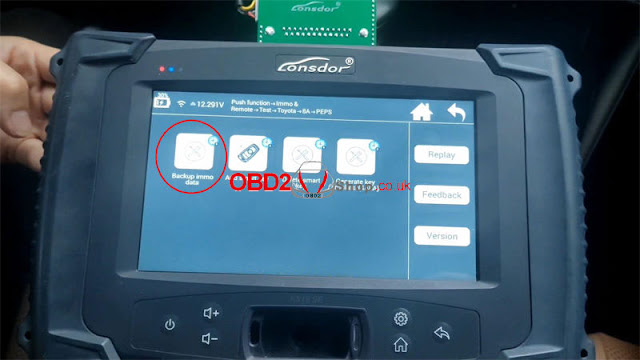
Backup Immo Data

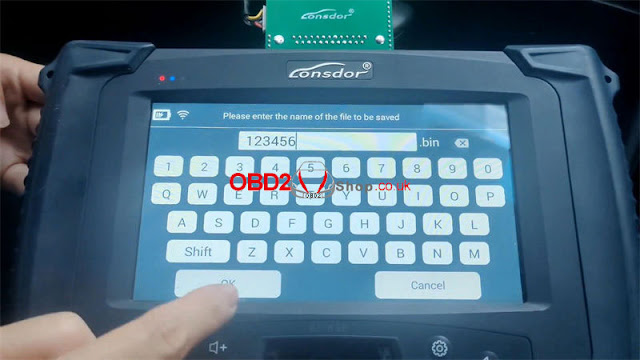
Immo & remote >> TOYOTA >> Select from type >> all smart key lost(2016-) >> 8A >> Backup immo data >> Read notes, OK >> OK >> Enter file name to save >> OK

Immo data backed up successfully.

Remember to record file path.

Press "OK" to continue.

lonsdor-k518ise-adp-adapter-program-2021-toyota-rav4-akl-3

lonsdor-k518ise-adp-adapter-program-2021-toyota-rav4-akl-4

lonsdor-k518ise-adp-adapter-program-2021-toyota-rav4-akl-5

lonsdor-k518ise-adp-adapter-program-2021-toyota-rav4-akl-6

lonsdor-k518ise-adp-adapter-program-2021-toyota-rav4-akl-7

Generate Emergency Key

This function can load backup data to generate an emergency key in AKL situation, then use this key to turn on dashboard to add keys.

Press "OK".


This function requires Internet connection.

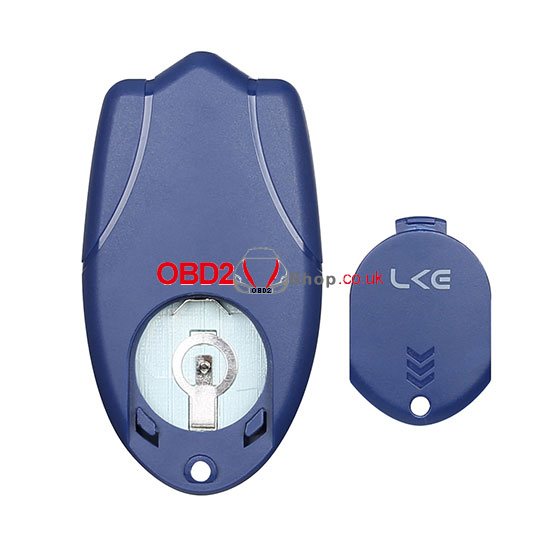
Please put key emulator into K518 Programmer card slot and press "OK".

Select backup file, press "OK".

Read operation hints:

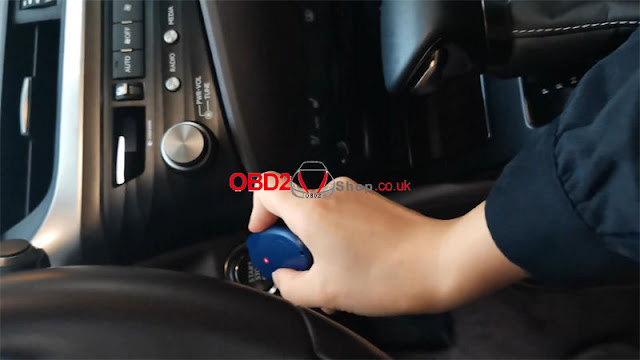
1. Press ignition switch once.

2. Quickly place LKE vertically on ignition switch, keep the antenna end of LKE aimed at the central position of ignition switch, and wait until dashboard lights up.

3. If dashboard fails to light up after 3s, please try to repeat step 1&2.

4. If dashboard fails to light up after multiple attempts, please contact after-sales for technical support.

Press "OK".

lonsdor-k518ise-adp-adapter-program-2021-toyota-rav4-akl-8

lonsdor-k518ise-adp-adapter-program-2021-toyota-rav4-akl-9

lonsdor-k518ise-adp-adapter-program-2021-toyota-rav4-akl-10

lonsdor-k518ise-adp-adapter-program-2021-toyota-rav4-akl-11


Reconnect the original car cable and touch the key to START button.

The car successfully worked.


Add New Key

Key info:

TOYOTA RAV4 2019-2021 genuine smart remote key,

315Mhz,

8990H-0R030.


Press "Add smart key".

Please switch ignition ON.

This function can use a registered working key or emergency key to add new keys.

Turn ignition off, turn on 2 flashing lights.

Select "Load D-FLASH data of PEPS to acquire 12-bit PIN".

OK >> Load backup dat

Wait for processing...

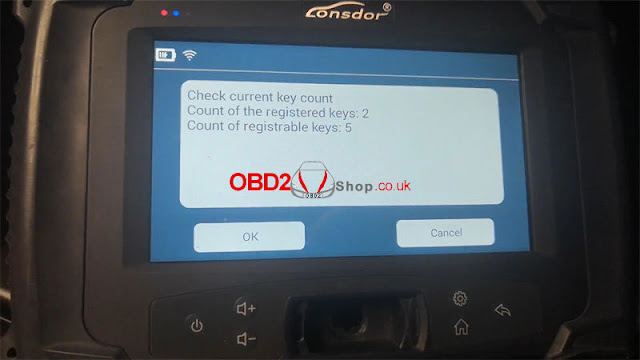
Count of the registered keys: 2

Count of registrable keys: 5

Press "OK".


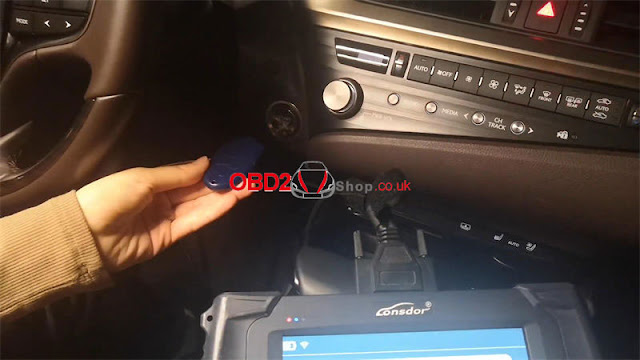
Step1. Hold the registered smart key or generated emergency key closer to Start button, the buzzer beeps once, take the key away from the button.

Step2. Hold the smart key(to be registered) closer to Start button, the buzzer beeps twice, then take the key away from the button. To program more keys, please repeat step2.

Finish above steps within 30s.


Count of registered keys: 3

Count of registrable keys: 4

Please follow the prompts to finish operation, press "OK".

Switch ignition ON.


The car & remote worked successfully.

lonsdor-k518ise-adp-adapter-program-2021-toyota-rav4-akl-12

lonsdor-k518ise-adp-adapter-program-2021-toyota-rav4-akl-13

lonsdor-k518ise-adp-adapter-program-2021-toyota-rav4-akl-14


This is how to use Lonsdor K518ISE to program 2021 Toyota RAV 4 all keys lost successfully.

http://blog.obd2shop.co.uk/lonsdor-k518ise-adp-adapter-program-2021-toyota-rav4-akl/

Thursday, 14 April 2022

Solution: Lonsdor K518ISE Program 8A Key Trunk Button Failure

Problem: I just programmed these Lonsdor 8A Universal Smart Keys to a 2020 RAV4 that were supplied by you. They were great with Lonsdor K518ISE, but the trunk button does not work. Any ideas?

solution-lonsdor-k518ise-program-8a-key-trunk-button-failure-1

Solution

In case Lonsdor 8A key only trunk button failure but other buttons OK, users can follow the method below to solve the problem.


Lonsdor K518ISE Path:

Special function >> Key settings >> FT smart key >> 8A >> Convert button type >> Button 3 Trunk-Button 4 Panic, Confirm


Put Lonsdor Smart Key into K518ISE programmer card slot.

Done.

solution-lonsdor-k518ise-program-8a-key-trunk-button-failure-2

solution-lonsdor-k518ise-program-8a-key-trunk-button-failure-3

solution-lonsdor-k518ise-program-8a-key-trunk-button-failure-4

solution-lonsdor-k518ise-program-8a-key-trunk-button-failure-4

solution-lonsdor-k518ise-program-8a-key-trunk-button-failure-6

solution-lonsdor-k518ise-program-8a-key-trunk-button-failure-7

solution-lonsdor-k518ise-program-8a-key-trunk-button-failure-8

Hope this is helpful.


Technical support

http://blog.obd2shop.co.uk/solution-lonsdor-k518ise-program-8a-key-trunk-button-failure/


Tuesday, 22 February 2022

How to fix data getting error when using Lonsdor LKE key emulator

Customer question: Why do I keep getting the following error message when using the Lonsdor LKE smart key emulator?

lonsdor-lke

The technician replied:

fix-data-getting-error-when-using-lonsdor-lke-key-emulator-1

Reinstall the battery and follow the steps below:


Insert the LKE smart key emulator into the K518ISE device card slot,

Select "Special functions" in the device interface

fix-data-getting-error-when-using-lonsdor-lke-key-emulator-2

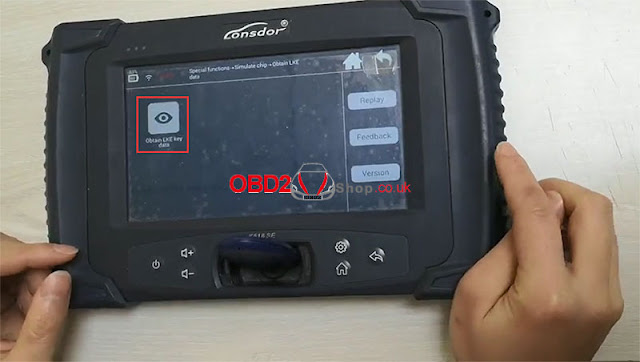
Then, select "Simulate chip" == >> "Obtain LKE data" == >> "Obtain LKE key data"

fix-data-getting-error-when-using-lonsdor-lke-key-emulator-3

fix-data-getting-error-when-using-lonsdor-lke-key-emulator-4

fix-data-getting-error-when-using-lonsdor-lke-key-emulator-5

Downloading application...


Generating...


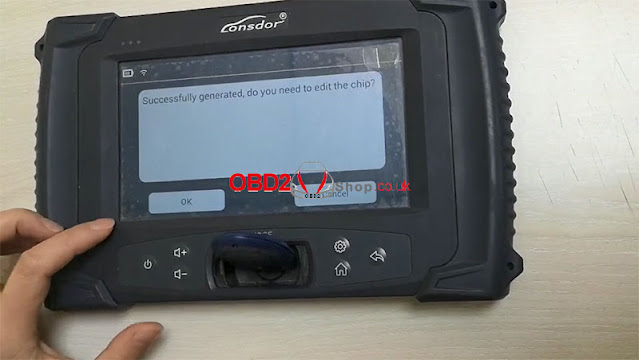
Then, you will get the following information:

fix-data-getting-error-when-using-lonsdor-lke-key-emulator-6

Click "OK" to continue, then click the return sign in the upper right corner of the device to return to the previous interface, select "Generate Simulated Chip" == >> "4D" == >> " 4D chip emulation

fix-data-getting-error-when-using-lonsdor-lke-key-emulator-7

fix-data-getting-error-when-using-lonsdor-lke-key-emulator-8

fix-data-getting-error-when-using-lonsdor-lke-key-emulator-9


Downloading application...


Displays the following information:

fix-data-getting-error-when-using-lonsdor-lke-key-emulator-10

Click "OK" to continue


Generating...

fix-data-getting-error-when-using-lonsdor-lke-key-emulator-11

The function test of the LKE smart key emulator was successful.


The operation of the video is as follows:

For additional technical support questions, please contact:

https://www.obd2shop.co.uk/

Monday, 14 February 2022

How to use LonsdorADP 8A/4A Adapter for 2017+ Toyota/ LEXUS?

Lonsdor Super ADP 8A/4A Adapter can work with K518 Programmer to do backup immo data, add smart key, delete smart key & generate key emulator(4A8A) for 2017+ Toyota/ LEXUS vehicles. Below is the operation guide for reference.


Lonsdor ADP Adapter Backup Immo Data

Backup immo data >> Finish connection as prompted >> Confirm software SN >> Enter file name to save, OK


Immo data backup successfully.

use-lonsdor-adp-8a-4a-adapter-for-2017-toyota-lexus-01

use-lonsdor-adp-8a-4a-adapter-for-2017-toyota-lexus-02

use-lonsdor-adp-8a-4a-adapter-for-2017-toyota-lexus-03

Lonsdor ADP Adapter Generate LKE Key Emulator

Prepare a LKE Smart Key Emulator in advance. Go to

Generate key emulator >> Make sure connection is OK >> Select file

Put the LKE Key Emulator into K518 card slot, click “OK”.

Emergency key generated successfully.

Please use emergency key to turn ignition on, then enter key programming function to program new key.

use-lonsdor-adp-8a-4a-adapter-for-2017-toyota-lexus-04

use-lonsdor-adp-8a-4a-adapter-for-2017-toyota-lexus-05

use-lonsdor-adp-8a-4a-adapter-for-2017-toyota-lexus-06

use-lonsdor-adp-8a-4a-adapter-for-2017-toyota-lexus-07

Lonsdor ADP Adapter Add Key(AKL)

For all keys lost, need to generate LKEKey Emulator as an emergency key firstly; Otherwise, no need.


Add smart key >> Make sure connection is OK

Switch ignition ON.

Confirm software SN.

Turn ignition off, turn on 2 flashing lights.

Load PEPS Dflash file to acquire 12-bit PIN.

OK >> Select Dflash >> Check current key count

Registered keys:2

Registrable keys:5

use-lonsdor-adp-8a-4a-adapter-for-2017-toyota-lexus-08

use-lonsdor-adp-8a-4a-adapter-for-2017-toyota-lexus-09

use-lonsdor-adp-8a-4a-adapter-for-2017-toyota-lexus-10


Finish the following steps within 30s:

1. hold the registered smart key’s back or generated emergency key closer to Start button, the buzzer beeps once, then take the key away from the button.

2. Hold the smart key(to be registered)’s back closer to Start button, the buzzer beeps twice, then take the key away from the button.


Just wait processing...

Operation completed!

Count of the registered keys:3

Count of registrable keys: 4


Switch ignition ON.

Place a programmed key close to start button of vehicle, then you hear one beep.

Programming complete.

Remember to check if the new key is workable.

use-lonsdor-adp-8a-4a-adapter-for-2017-toyota-lexus-11

use-lonsdor-adp-8a-4a-adapter-for-2017-toyota-lexus-12

use-lonsdor-adp-8a-4a-adapter-for-2017-toyota-lexus-13

Lonsdor ADP Adapter Delete Key

Prepare keys to be saved.

Delete smart key >> Make sure connection is OK

Note:

This function is used to delete all absent keys! Keys that do not touch ignition switch will be deleted, and can’t be registered to use.


Switch ignition ON.

Confirm software SN.

Turn ignition off, turn on 2 flashing lights.

Load PEPS Dflash file to acquire 12-bit PIN.

Select Dflash >> OK

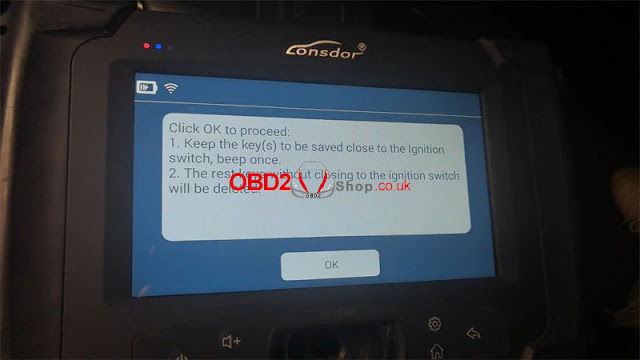
1. Keep the keys to be saved close to the ignition switch, beep once.

2. The rest keys without closing to the ignition switch will be deleted.

Wait processing...

Deleting completed.

Count of the registered keys: 2

use-lonsdor-adp-8a-4a-adapter-for-2017-toyota-lexus-14

use-lonsdor-adp-8a-4a-adapter-for-2017-toyota-lexus-15

use-lonsdor-adp-8a-4a-adapter-for-2017-toyota-lexus-16

use-lonsdor-adp-8a-4a-adapter-for-2017-toyota-lexus-17

Buy Lonsdor K518ISE + Super ADP Adapter combination now to get lower price.

Article Source: http://blog.obd2shop.co.uk/how-to-use-lonsdor-adp-8a-4a-adapter-for-2017-toyota-lexus/


How to Add a 2026 Lexus RX350H Key with Lonsdor K518 Pro?

I had a 2026 Lexus RX350H in the shop for a smart key add. I used the Lonsdor K518 PRO with the LT21-07 Smart Key andFP30 cable. The LT21-...