Showing posts with label Lonsdor KH100. Show all posts

Wednesday, 29 April 2020

Lonsdor KH100 remote generation and smart key generation support car list

Lonsdor KH100 is a powerful Remote key programmer that supports functions like identify & copy chip, access control key, simulate chip, generate chip, generate remote (key), generate a smart key(card), detect remote frequency, etc.

lonsdor-kh100-programmer-01
KH100 remote generation and smart key generation support car list:

lonsdor-kh100-programmer-02

1. KH100 Generate Remote key support car list:

lonsdor-kh100-programmer-03

lonsdor-kh100-programmer-04

lonsdor-kh100-programmer-05

lonsdor-kh100-programmer-06

lonsdor-kh100-programmer-07
More list please check Lonsdor KH100 General Remote Generation List.pdf

2. KH100 Generate Smart key support car list:
lonsdor-kh100-programmer-08

More list please check Lonsdor KH100 Smart Remote Generation List.pdf

That’s all.

Thank you!

http://blog.obd2shop.co.uk/lonsdor-kh100-remote-generation-and-smart-key-generation-support-car-list/

How to fix Lonsdor KH100 “Unable to connect to the network” and “Stuck in some interface” error

When “Unable to connect to the network” and “Stuck in some interface” problems occur while using Lonsdor KH100, how to solve it? Please continue reading to find out the answer.

Error 1: Cannot connect to the network even if there are several hot spots available.
Error 2: Stuck in some interface for a long time while operating.
For example, when you register the device, it just keeps searching for network.
When you turn on the device, it keeps loading for several minutes.

Solutions:
Step 1: Download the repaired file of KH100 and put the file on the desktop of a computer.
Unzip the file and you will get two files.

lonsdor-kh100-01

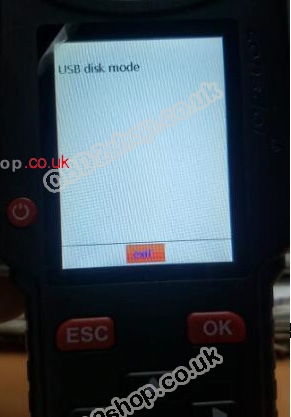
Step 2: Turn off the device. Hold the “Down” button for a few seconds and then press the “Power” button once, the device will enter the “USB Disk Mode” interface.
lonsdor-kh100-02

lonsdor-kh100-03

Step 3: Connect the device to the computer and put those two files into the device.
Step 4: Click “OK” to reboot the device and you will see a progress bar in the device. The device will be updated automatically.

lonsdor-kh100-04
Step 5: Check whether the device works or not after updating.

Thursday, 12 December 2019

No Lonsdor k518 or KH100, how to unlock FT01 smart key manually?

Lonsdor announcement:
There is unlock function of FT01 in Lonsdor KH100 now. and we will release this function to k518 recently. for those who have kh100 or Lonsdor k518, they can unlock ft01 in the device. for those who don't have Lonsdor kh100 or k518, they can unlock ft01 manually according to the instruction below.

How to Unlock Lonsdor FT01 smart key?
The concept of unlocking: Toyota smart key, once been programmed to a car, it cannot be programmed to another car, unless been unlocked.

Unlock steps:
 1. First press and hold the 1, 2, and 3 buttons at the same time (according to the order shown in the following figure), after the indicator is on, release the 3rd button.
2. Keep pressing the 1st and 2nd buttons. After the light is off, press the 3rd button again. Then the light is on and releases the 3rd button.
3. Repeat the second step 10 times or more until the indicator light flashes continuously, then you can release 3 buttons.
4. After the indicator light stops, the smart card is unlocked and can be used as a new card.
5. If you do not understand the above steps, you can refer to the attached video
https://youtu.be/W_3HjcDcCNA

How to Unlock Lonsdor FT01 smart key-01

Image: this is Lonsdor FT01 Series Toyota Smart Key 0020

How to Convert FT01 Key Type? 
Function of Converting FT01 Key Type: support converting the function of the third key on FT01/FT02 in default factory-fresh condition. Support switching the third key to trunk/tailgate.

Procedure:
1. Remove the button battery of the smart key

2. Enter "Special Features" → "FT01" → "Key Type Conversion" option. This option supports converting the third key into car type (trunk) or SUV type (tailgate).

3. Select corresponding vehicle type option and operate according to prompts

4. If the device shows "convert chip failed" during the process, probably the device doesn’t identify the chip. Please change inductive positions (horizontal, vertical or on the side) of the chipboard, then press "execute" and operate again until the device shows "convert chip success".
5. During the process, the device will show "please remove FT01 battery and reinsert", please make sure the battery in the smart key has been taken away and press "ok".The process is finished when the device shows "convert chip success".

Remark:
For those smart keys version under V02.53, have to remove the battery to convert successfully.

For that version higher than V02.53, to remove the battery or not doesn’t have any influence to the process.

How to Update the FT01 Program? 
Enter "Special Features" → "FT01" → "Get Version Information" option to get version information of Toyota smart keys.

For those keys version under V02.53, update the program in "Special Features" → "FT01" → "Update Program" option.

For those versions higher than V02.53, no need to update the program.

Thanks.

http://blog.obd2shop.co.uk/lonsdor-k518-adds-ft01-toyota-smart-key-unlock-function/

Thursday, 7 November 2019

How does Lonsdor KH100 copy 8C / 7935, identify coil / remote, simulate chip?

obd2shop.co.uk uploaded several youtube videos on how does Lonsdor KH100 copy 8C &7935, identify coil & remote, simulate chip and how to register Lonsdor KH100.

Copy 8C chip with Lonsdor KH100:
https://youtu.be/pQFnCplGwwk
copy-8c-01


Copy 7935 chip with Lonsdor KH100:
https://youtu.be/0UMd6mw2TzQ
copy-7935-02


Identify coil with Lonsdor KH100:
https://youtu.be/kpKpOk1awSI
identify-coil-03

identify-coil-04


Identify remote frequency with Lonsdor KH100: 
https://youtu.be/yzDT3OVav1g
remote-frequency-05

remote-frequency-06


Simulate chip with Lonsdor KH100:
https://youtu.be/vjCClMhA6H0

How to register Lonsdor KH100 key remote programmer?
https://youtu.be/9Wwrl8pvwQY

Lonsdor KH100, a cheap but powerful device, read details:
https://www.obd2shop.co.uk/wholesale/lonsdor-kh100-full-featured-key-mate.html

Tuesday, 6 August 2019

Lonsdor KH100 simulate what chip and generate what chip & key?

Topic: being a Remote Key Programmer, Lonsdor KH100 can simulate what chip? can generate what chips and what keys? what special features Lonsdor KH100 has?

Firstly, come to Lonsdor KH100 menu, you can see it has options: 
Identify Copy
Access Control Key
Simulate Chip
Generate chip
Generate key
Identify Coil
Remote Frequency
Special Function
Settings
lonsdor-kh100-simulate-chip-generate-chip-key-01


Next is to select "simulate chip" and has a chip list:  
Simulate 4D chip
Simulate 46 chip
Simulate 48 chip
Put Lonsdor KH100’s antenna at the ignition switch(as shown), choose the corresponding chip
type to simulate.
lonsdor-kh100-simulate-chip-generate-chip-key-02

lonsdor-kh100-simulate-chip-generate-chip-key-03


Next is to select "Generate chip" and has a chip list: 
4D
46
48
T5
7935
8A
4C
Others 
lonsdor-kh100-simulate-chip-generate-chip-key-04


Put the above chip into the induction slot(as shown), choose the corresponding chip to operate according to the prompts.
lonsdor-kh100-simulate-chip-generate-chip-key-05


Note: some chip data will be covered and locked.

Then is to select "Generate key" and has a menu:
Generate Remote (Generating various type)
Generate smart key
lonsdor-kh100-simulate-chip-generate-chip-key-06


1) Lonsdor KH100 generates Remote, the following cars' remote is tested ok: 
Buick
Ford
GMC
Hammer
Cadillac
Chrysler
Lincoln
Chevrolet
Audi
BMW
Benz
VW
Jaguar
Land Rover
Opel
Skoda
Volvo
Honda
Toyota
Lexus
Suzuki
Mazda
Luxgen
Nissan
Acura
Kia
Baojun
Beiben H
Baic
Besturn
BYD
Changhe
Maxus
Dongfeng
Southeast
PLC
Steel Ma
Steel Lea
lonsdor-kh100-simulate-chip-generate-chip-key-07

lonsdor-kh100-simulate-chip-generate-chip-key-08

lonsdor-kh100-simulate-chip-generate-chip-key-09

lonsdor-kh100-simulate-chip-generate-chip-key-10

lonsdor-kh100-simulate-chip-generate-chip-key-11


Enter [Generate key]->[Generate remote], select the corresponding vehicle type to
generate remote control(as shown) according to different regions.
lonsdor-kh100-simulate-chip-generate-chip-key-12


2) Lonsdor KH100 generates a smart key, the following cars are tested OK: 
Jeep
Baic
BYD
Buick
Dodge
Southeast
Geely
Cadillac
Maserati
lonsdor-kh100-simulate-chip-generate-chip-key-13


Enter [Generate key]->[Generate smart key] menu, select the corresponding vehicle
type to generate smart key/card(as shown) according to different regions.
lonsdor-kh100-simulate-chip-generate-chip-key-14


Put KH100 antenna close to the pre-determined position. If signals are identified, the device will make sounds continuously.
lonsdor-kh100-simulate-chip-generate-chip-key-15

Lonsdor KH100 has special features
Detect Infrared signal
Toyota smart key (Unlock Toyota smart key)
Garage door
Fixed code remote copy
Fixed code remote editing
and more...
lonsdor-kh100-simulate-chip-generate-chip-key-16

1) Detect infrared signal
Put remote control at the infrared signal detection area, press the remote's button
once. When the light on KH100's screen is on, it indicates there is an infrared signal,
otherwise there is no signal(see below pic).
lonsdor-kh100-simulate-chip-generate-chip-key-17

(signaled)
lonsdor-kh100-simulate-chip-generate-chip-key-18

(no signal)

2) Unlock Toyota smart key
Put in smart key, click OK to operate.
lonsdor-kh100-simulate-chip-generate-chip-key-19

lonsdor-kh100-simulate-chip-generate-chip-key-20


Enjoy

Lonsdor KH100 update is possible.  Enter the settings menu, connect the device to a network, then select [check for updates], one-click online upgrade.


Thursday, 6 June 2019

Lonsdor KH100 Key programmer Functions introduction

Lonsdor KH100 has many functionalities including Identify Copy/ Coil, Access Control Key, Simulate/ Generate Chip, Generate Remote/ Smart key(card), Remote Frequency, etc.

In details...

lonsdor-KH100- 01

1. Identify Copy
Enter this menu, follow the system prompts to operate (as shown).

lonsdor-KH100- 02
2. Access Control Key
Enter this menu, follow the system prompts to operate (as shown).
lonsdor-KH100- 03

3. Simulate Chip
Put KH100’s antenna at the ignition switch(as shown), choose the corresponding chip type to simulate. This device supports below chip types:
①4D ②46 ③48
lonsdor-KH100- 04
4. Generate Chip
Put below types of the chip into the induction slot(as shown), choose the corresponding chip to operate according to the prompts. This device supports below chip types:
①4D ②46 ③48 ④T5 ⑤7935 ⑥8A ⑦4C ⑧Other
Note: some chip data will be covered and locked.

lonsdor-KH100- 05
5. Generate Remote
Enter [Generate key]->[Generate remote], choose the corresponding vehicle type to generate remote control(as shown) according to different regions.

lonsdor-KH100- 06
6. Generate Smart key(card)
Enter [Generate key]->[Generate smart key] menu, choose the corresponding vehicle type to generate smart key/card(as shown) according to different regions

lonsdor-KH100- 07
7. Identify Coil
1) Search smart induction area
Connect remote key with remote connector, Put KH100’s antenna close to the predetermined position. If the inductive signal is identified, the device will continuously make sounds, please check if the position is right(as shown below).

lonsdor-KH100- 08

2) Detect IMMO
Connect remote key with remote connector, Put KH100’s antenna close to key identification coil, and use the key to turn ignition ON. When KH100 buzzer beeps, it means the signal is detected.

lonsdor-KH100- 09
8. Remote Frequency
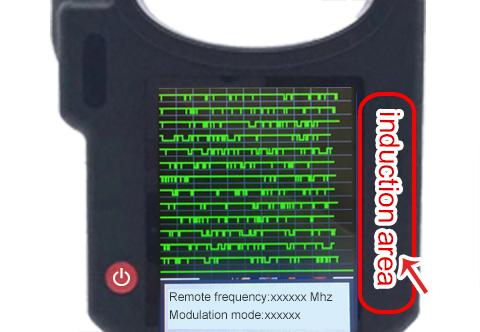
Enter this menu, put remote control at the device’s induction area to detect remote frequency

lonsdor-KH100- 10
9. Special function
Include: detect infrared signal, unlock Toyota smart key, More functions, to be continued...
1) Detect infrared signal
Put remote control at the infrared signal detection area, press the remote's button once.
When the light on KH100's screen is on, it indicates there is an infrared signal, otherwise there is no signal (see below pic).
lonsdor-KH100- 11
2) Unlock Toyota smart key
Put in smart key, click OK to operate.
lonsdor-KH100- 12


More detailed info please refer to the user manual: http://www.obd2shop.co.uk/upload/pro/19060315596181397295.pdf

2024 Toyota Corolla Add Smart Key with Lonsdor K518 Pro + LT32

This guide covers how to add an LT32 Smart Remote and reprogram the OEM smart key on a 2024 Toyota Corolla using the Lonsdor K518 Pro . Too...