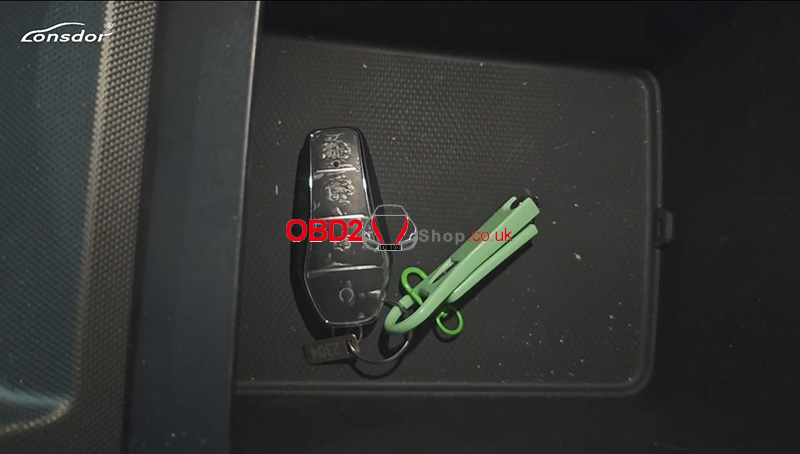
Showing posts with label lonsdor k518 pro byd. Show all posts

Wednesday, 15 April 2026

How to Add 2025 BYD Formula Leopard Ti7 Key with Lonsdor K518 Pro?

Adding a new smart key to the 2025 BYD Formula Leopard Sealion 7is a straightforward process when using the Lonsdor K518 Pro. This guide provides a concise, step-by-step walkthrough of the programming procedure.


Preparation and Tools Needed

Before starting, ensure you have the following items ready:

Lonsdor K518 Pro Key Programmer

OBD communication cable

Original car key and the new smart key

A stable internet connection


Step 1: Generate the Smart Key

First, you must prepare the new key to be recognized by the vehicle’s system.

1. Navigate to Generate Smart Key > BYD > Formula Leopard >Sealion 7 2025 ID4A

2. Place the new key into the K518 Pro's card slot.

3. Click Generation and wait for the "Generated successfully" message.


how-to-add-2025-byd-formula-leopard-ti7-key-with-lonsdor-k518-pro-1

how-to-add-2025-byd-formula-leopard-ti7-key-with-lonsdor-k518-pro-2

Step 2: Read Data and Password

To access the immobilization system, you must retrieve the vehicle's security data.

1. Locate and remove the cross-domain platform box located below the steering wheel to facilitate password reading.

2. On the K518 Pro, select Immo & Remote > BYD >Smart Key > Formula Leopard Series > Sealion 7> 2025- > Program smart key

3. Follow the on-screen prompts: Turn off the ignition and turn on the hazard lights (flashing lights).

4. Select Method 3: Disassemble the left EEPROM of the CEM module to obtain the 32-bit PIN code

5. The device will read the EEPROM data. Once successful, save the file to your device.


how-to-add-2025-byd-formula-leopard-ti7-key-with-lonsdor-k518-pro-3

how-to-add-2025-byd-formula-leopard-ti7-key-with-lonsdor-k518-pro-4

how-to-add-2025-byd-formula-leopard-ti7-key-with-lonsdor-k518-pro-5

how-to-add-2025-byd-formula-leopard-ti7-key-with-lonsdor-k518-pro-6

Step 3: Program the Smart Keys

Note: All keys not present during this process will be deleted from the system. You can program up to 4 keys total.

1. Select the saved EEPROM file to begin programming.

2. Program Key 1: Place the first key (original) in the vehicle's sensing area and click OK until "Program complete" appears.

3. Program Key 2: Place the second key (new) in the sensing area and click OK.

4. Once both keys are registered, click Cancel to finish the session.

how-to-add-2025-byd-formula-leopard-ti7-key-with-lonsdor-k518-pro-7

how-to-add-2025-byd-formula-leopard-ti7-key-with-lonsdor-k518-pro-8

how-to-add-2025-byd-formula-leopard-ti7-key-with-lonsdor-k518-pro-9

how-to-add-2025-byd-formula-leopard-ti7-key-with-lonsdor-k518-pro-10

Step 4: Verify Functionality

Always test both keys to ensure the immobilization and remote features are working perfectly.

Engine Start: Press the brake and the Start button with each key individually to confirm the engine starts.

Remote Features: Test the Lock and Unlock buttons on both the original and the new smart key.

The programming for your 2025 BYD Formula Leopard Sealion 7 is now complete.


how-to-add-2025-byd-formula-leopard-ti7-key-with-lonsdor-k518-pro-11

www.obd2shop.co.uk


Sunday, 4 May 2025

Lonsdor K518 PRO Program 2024 BYD Qin L Smart Key OK

Here are the original car keys and a new key. We're using the Lonsdor K518 PRO to program the key adding for the 2024 BYD Qin L by OBD.


When programming car keys, all keys must be reprogrammed together. It doesn't matter if a key is old or new - any key that isn't reprogrammed will no longer work.

lonsdor-k518-pro-program-2024-byd-qin-l-smart-key-ok-1

Immo & Remote >> BYD >> Smart Key >> Qin Series

Qin L is a new model launched in 2024. K518 PRO hasn't added it to the menu yet, so we'll select the "Qin Plus" option here.

Qin Plus >> 2023- >> Read Key Info

Put the original car key in the sensing area in the cup holder.

The number of programmed keys: 1

lonsdor-k518-pro-program-2024-byd-qin-l-smart-key-ok-2

lonsdor-k518-pro-program-2024-byd-qin-l-smart-key-ok-3

lonsdor-k518-pro-program-2024-byd-qin-l-smart-key-ok-4

lonsdor-k518-pro-program-2024-byd-qin-l-smart-key-ok-5

lonsdor-k518-pro-program-2024-byd-qin-l-smart-key-ok-6

Program Smart Key >> OK

Keep the key in the sensing area.

Programming succeeds.

Press Yes to program the next one.

Take out the original key, and put the new key into the sensing area.

Program successfully.

The number of programmed keys: 2

Test the original key and the new key.

Both remote controls work normally and can start the car.


Done.

lonsdor-k518-pro-program-2024-byd-qin-l-smart-key-ok-7

lonsdor-k518-pro-program-2024-byd-qin-l-smart-key-ok-8

lonsdor-k518-pro-program-2024-byd-qin-l-smart-key-ok-9

www.obd2shop.co.uk

Thursday, 27 February 2025

How to use Lonsdor K518 PRO to Program BYD Destroyer 05 Smart key

This post will guide you on how to use Lonsdor K518 PRO to program a 2023 BYD Destroyer 05 smart key.


The tools we need:

An original key

A new key

K518 PRO

how-to-use-lonsdor-k518-pro-to-program-byd-destroyer-05-key-1

Procedure:

Note: When we make the key of this car, all the keys, including the original car key and the new key, need to participate in programming.


Now, we use K518PRO to program the key.

Select [IMMO] >> [BYD] >> [Smart Key programming] >> [Destroyer 05].

how-to-use-lonsdor-k518-pro-to-program-byd-destroyer-05-key-2

Step 1. Read the key information.

Place the original car key in the sensing area, and click "OK" to continue.

The number of keys is 1.

how-to-use-lonsdor-k518-pro-to-program-byd-destroyer-05-key-3

how-to-use-lonsdor-k518-pro-to-program-byd-destroyer-05-key-4

Step 2. Program the key.

Now, we do the key programming.

The current number of keys is 1.

Place the key to be programmed on the induction coil, We just did it.

Click "OK" to continue.

Programming success.

how-to-use-lonsdor-k518-pro-to-program-byd-destroyer-05-key-5

how-to-use-lonsdor-k518-pro-to-program-byd-destroyer-05-key-6

how-to-use-lonsdor-k518-pro-to-program-byd-destroyer-05-key-7

Whether to program the next one? Here, we select "OK".

Then, take out the original key and put the new key in.

Matching in progress; please wait...

Programming success.

Whether to program the next one?

We choose "Cancel", and the number of successfully programmed keys is 2.

how-to-use-lonsdor-k518-pro-to-program-byd-destroyer-05-key-8

how-to-use-lonsdor-k518-pro-to-program-byd-destroyer-05-key-9

how-to-use-lonsdor-k518-pro-to-program-byd-destroyer-05-key-10

Let's test whether the two keys can be remotely controlled normally.


Use the K518PRO to successfully program the smart key for the December 2023 BYD Destroyer 05 password-free programming.

how-to-use-lonsdor-k518-pro-to-program-byd-destroyer-05-key-11

Video guides:


www.obd2shop.co.uk

2024 Toyota Corolla Add Smart Key with Lonsdor K518 Pro + LT32

This guide covers how to add an LT32 Smart Remote and reprogram the OEM smart key on a 2024 Toyota Corolla using the Lonsdor K518 Pro . Too...