How to do in case Lonsdor K518ISE is stuck due to misoperation and cannot force to update? At this time, users may need to flash K518 key programmer to reboot device. If you’re struggling with same problem, feel free to contact Obd2shop online service for the flash package.
How to flash K518 programmer?
1. Download & unzip flash package;
2. Install & open “PhoenixSuit_CN” app;
3. Connect K518ISE with a USB cable;
4. Flash K518ISE: One-click flash >> Load >> Locate “sun8iw5p1_android_dvk3” file;
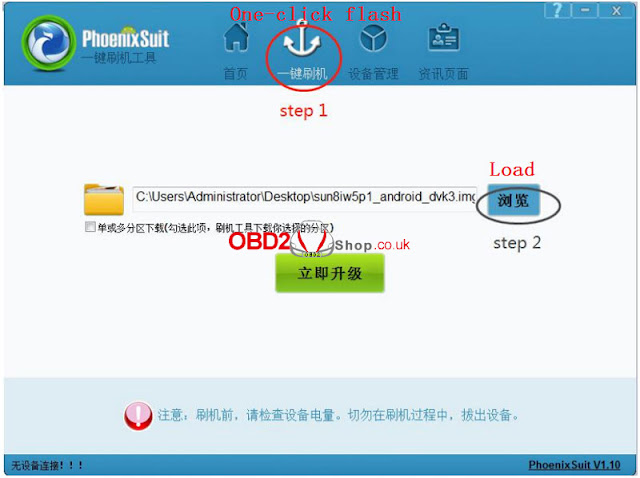

5. Hold on power button to enter below interface. Click “Reboot” then immediately hold on Volume+ button until coming out a prompt message on computer.
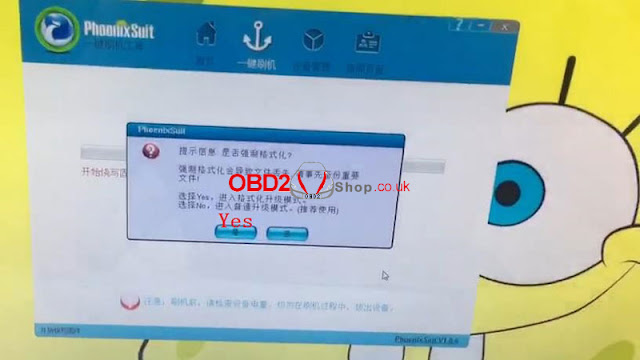
Continuous click “Yes >> Yes” to start update firmware;


6. Pull out USB cable when update completed. Wait K518ISE device to repair automatically;
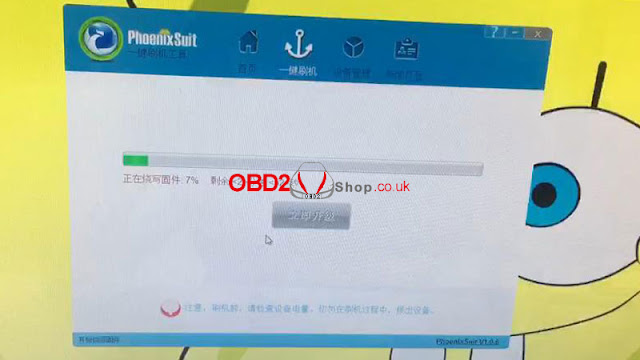
7. Don’t touch K518 Programmer until showing a white screen with “Set up WIFI”&“Update” buttons;
8. Set up WIFI then update, the problem will be solved after updating.
It may help:
How to do formatting for Lonsdor K518ISE key programmer?
http://blog.obd2shop.co.uk/how-to-do-formatting-for-lonsdor-k518ise-key-programmer/


